
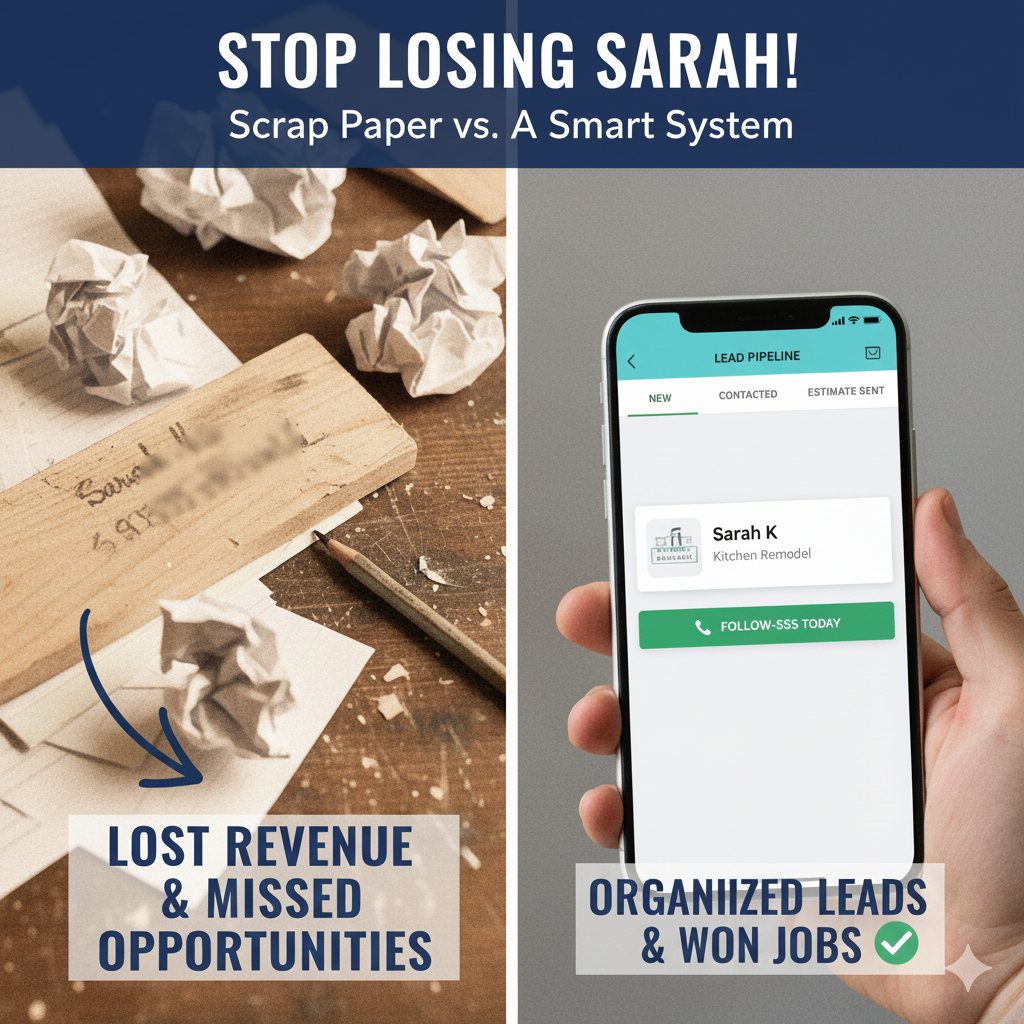
Tuesday morning, 9:47 AM. You’re on a ladder installing a light fixture when your phone rings. It’s a potential customer who found you on Google. They need a kitchen remodel and want a quote. You balance the phone against your shoulder, grab a scrap of wood, and scribble: “Sarah – kitchen – 610-555-xxxx – call back.”
Friday afternoon, you’re back in the office trying to follow up on leads. You find three pieces of scrap wood with phone numbers but can’t read your own handwriting. One says “Sarah” but the number is smudged. You never call back.
Sarah hired your competitor on Wednesday.
This scenario probably sounds familiar. The good news? This problem is completely fixable. You don’t need expensive software or complicated systems. You just need a better way to track who called, what they wanted, and when to follow up.
The Hidden Cost of Lost Leads
Most contractors focus on getting more leads. But what if the bigger problem is what happens to the leads you already have?
Leads slip through the cracks for predictable reasons: lost contact information, forgotten follow-ups, unclear handoffs between you and your office person, or simply getting too busy with current jobs to circle back.
Here’s what that looks like in practice:
The revenue that walks away: When you don’t respond quickly, potential customers move on. Research shows that a significant portion of sales go to the vendor who responds first. When you’re the one who doesn’t respond at all, that work goes elsewhere.
Marketing dollars with no return: You’re spending money on Google Ads, Facebook, truck wraps, and yard signs. But without tracking which source produces actual jobs, you might be investing heavily in channels that aren’t working while overlooking the referral sources that drive most of your business.
The follow-up that never happens: Most sales require multiple follow-up attempts. Without a tracking system, it’s easy to make one or two calls then forget. Your competitor with organized reminders gets the job by default.
The growth bottleneck: When leads live in your head or on scraps of paper, hiring someone to help with sales becomes nearly impossible. You become the bottleneck because only you know who needs a callback.
Poor lead tracking doesn’t just lose individual jobs. It limits your ability to grow.
What You Actually Need
Quick: What is CRM?
You might hear people talk about “CRM” or “CRM software.” CRM stands for Customer Relationship Management, which is just a fancy way of saying “a system to track your customers and leads.” Think of it as an organized way to make sure no one falls through the cracks.
Now, let’s talk about what you actually need in plain language: a reliable place to track every person who might become a customer, what you talked about, when to follow up, and where they are in your process.
Five pieces of information matter most:
- Name and best contact method – Not just their phone number, but whether they prefer calls, texts, or email
- How they found you – Google, referral from who, yard sign, Facebook ad, etc.
- What they need – Be specific: “full kitchen remodel with custom cabinets” beats “kitchen work”
- Their timeline – Emergency, next month, just planning for spring
- What happens next – Who’s calling them back, when, and what you promised to send
When you capture these five things consistently, you eliminate 90% of the “I forgot to call them back” problems.
The tracking workflow that works:
Your process should be simple enough that it actually gets used:
- Lead comes in (phone, website form, text, in-person)
- Capture the five pieces immediately, even if you’re on a ladder
- Set a follow-up reminder for 24 hours later (or whatever timeline you promised)
- Move the lead through stages: New > Contacted > Estimate Sent > Job Scheduled > Completed
- Track the outcome: Won, Lost, or Still Working
This workflow prevents leads from falling through the cracks and gives you data on what’s working.
The Spreadsheet vs. Software Decision
Not every contractor needs expensive software. Your tracking system should match the size and complexity of your business.
When a spreadsheet works:
For solo contractors or very small firms (1-3 people) handling 5-10 leads per month, a well-organized spreadsheet can work perfectly fine. You’ll want:
- One row per lead
- Columns for name, contact, source, project type, date received, status, next action, and notes
- Sort by “next action date” to see who needs follow-up today
- Update it daily (this is critical)
The advantage: Free, simple, no learning curve. The disadvantage: No automated reminders, no mobile access from the field, easy to forget to update.
When you need actual software:
Once you hit 15+ leads per month, have multiple people touching leads, or want to track detailed metrics, spreadsheets become a burden. Signs you’ve outgrown spreadsheets:
- You’re forgetting to update it for days at a time
- Multiple people need access and things get messy
- You want automated follow-up reminders
- You need mobile access from job sites
- You want to see which marketing sources actually produce revenue
This is where dedicated tracking software saves more time than it costs.
Features That Actually Matter for Contractors
Not all customer tracking software is built the same. Here’s what matters specifically for trade businesses:
Mobile-first design: Your phone is your office. If the mobile app is clunky or an afterthought, you won’t use it. Period.
Text and call logging: The best systems automatically log every text message and call with a contact. No manual entry needed.
Automated follow-up reminders: Set it once, get reminded on your phone. “Call John back Tuesday about bathroom estimate.”
Lead source tracking: Every lead should be tagged with how they found you. This tells you where to spend marketing dollars.
Status pipeline view: See at a glance which leads are new, which have estimates out, and which are ready to schedule.
Integration with estimating: When a lead converts, the information should flow directly to your estimating or project management system. No re-entering data.
Team access: If you have an office person or partner, they need to see the same information you do.
Software Options by Business Size
The right tool depends on your size, volume, and budget. Here are options organized by typical use case:
Solo or 2-3 person operations (budget: $20-50/month):
- Jobber – Good all-around option with lead tracking, scheduling, and invoicing in one place. Mobile app works well for small service-based contractors.
- HouseCall Pro – Strong option for service trades (HVAC, plumbing, electrical) with good lead management and customer communication features.
- Simple spreadsheet + Google Calendar – Free option if you’re disciplined about daily updates and follow-up reminders.
Small firms with 5-15 people (budget: $100-300/month):
- Buildertrend – Comprehensive platform with excellent lead management, includes client portal and project management. Good for residential contractors.
- JobNimbus – Strong CRM features built specifically for contractors. Good mobile app and reasonable pricing.
- ServiceTitan – Premium option for service-based trades. Comprehensive features including dispatching, but requires larger investment.
Growing firms over 15 people (budget: $300+/month):
- Procore – Industry-leading platform with robust contact management and project tracking. Scales well but requires significant implementation.
- Salesforce with construction add-ons – Maximum customization and scalability, but complex and expensive. Usually makes sense for firms doing $5M+ annually.
The most important factor isn’t which software you choose. It’s choosing one that your team will actually use consistently.
How to Know if You Picked the Right System
Choosing customer tracking software is an investment. Here’s what you should expect to see if you’ve selected the right system for your business:
Your follow-up rate should improve dramatically. Within the first month, you should notice fewer leads slipping through the cracks. If the system has good reminder features, you’ll find yourself actually calling people back on time instead of three weeks later when they’ve already hired someone else.
Response time should get faster. When a lead comes in, you should be able to access their information and send an estimate within 24-48 hours. If you’re still scrambling to find contact details or remember what you discussed, the system isn’t working.
You’ll know where your work comes from. After 3-6 months of consistent use, you should be able to answer questions like “Which marketing channel brings in the most jobs?” and “What’s our conversion rate on referrals versus Google leads?” If you still can’t answer these questions, either the software doesn’t have good reporting or you’re not using the source tracking features.
Team confusion should decrease. If you have multiple people handling leads, everyone should know who’s responsible for following up with each prospect. No more “I thought you were calling them back” situations. If handoffs are still messy after a few weeks, the system might be too complicated for your workflow.
Administrative time should drop. A good system saves time. You should spend less time hunting for phone numbers, recreating contact lists, or manually setting reminders. If you’re spending just as much time on admin work as before, something’s wrong with either the software choice or how you’re using it.
Your conversion rate should trend upward. This takes longer to measure, usually 6-12 months. But if you’re responding faster and following up consistently, more leads should convert to actual jobs. If your conversion rate stays flat or drops, the issue might not be the software but your sales process itself.
Signs you picked the wrong system:
- Your team stops using it after a few weeks because it’s too complicated
- The mobile app is so clunky you avoid entering leads from the field
- You’re paying for features you don’t need or understand
- It doesn’t integrate with your estimating or accounting software
- You’re still keeping a backup spreadsheet “just in case”
The right system should feel like it’s making your life easier, not adding another task to your day. If you’re fighting with the software three months in, it might be time to reassess whether it’s the right fit for how your business actually operates.
The Bottom Line
You’re probably leaving money on the table every year because leads slip through the cracks. Not because you’re doing bad work. Not because your prices are wrong. Simply because you don’t have an organized way to track who called, what they wanted, and when to follow up.
Choosing the right customer tracking system comes down to matching the tool to your actual workflow. You need:
- A single place to track every lead
- The five critical pieces of information captured consistently
- Automated reminders so follow-ups actually happen
- Simple status tracking so you know where each lead stands
- A system your team will actually use every day
Start by understanding your workflow first. How many leads do you handle monthly? How many people touch those leads? What features would actually save you time versus just adding complexity?
Then pick software that supports your workflow, not the other way around. The fanciest system with the most features won’t help if your team finds it too complicated to use consistently.
The contractors who get this right respond faster, follow up consistently, and convert more leads into actual work. Meanwhile, their competitors are still losing opportunities to smudged phone numbers on scraps of wood.
If you need help evaluating which tracking system makes sense for your business, that’s exactly what we do. We can assess your current lead management process, recommend appropriate tools, and help you make a decision that actually fits how you work.
Leave a Reply